
Plastic Surgery Billing Software for Cosmetic and Reconstructive RCM
Connect eligibility verification, reconstructive authorization, coder review, claims, denials, payment posting, and patient balances in one RCM workflow. Keep cosmetic self-pay and insurance-backed reconstructive cases in distinct, visible paths.


Practice admin TL;DR
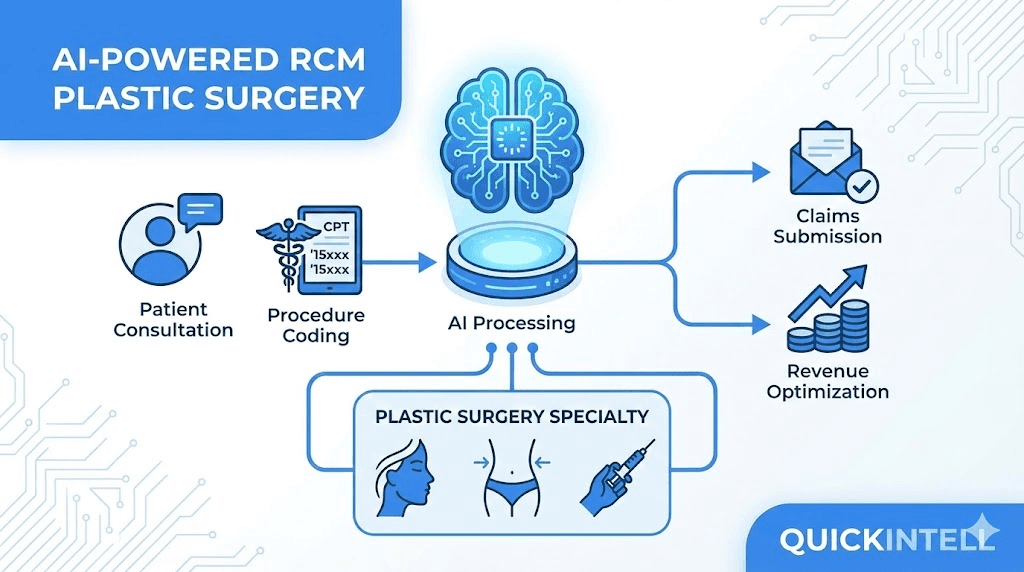
A plastic surgery RCM path from estimate to final balance
- Verify benefits and self-pay status
- Build reconstructive evidence
- Review codes and modifiers
- Scrub and submit claims
- Route denials and appeals
- Post payer and patient balances
From scheduled service to posted balance in six connected steps
Plastic surgery billing software should preserve the difference between cosmetic self-pay and covered reconstruction while giving staff one view of the handoffs, exceptions, and next actions.
Verify coverage and payment path
Confirm active benefits, then separate insurance-backed reconstruction from cosmetic or other self-pay services before estimates and authorizations diverge.
Prepare reconstructive authorization
Bring the planned procedure, diagnosis, payer requirements, photos, clinical notes, and prior-treatment evidence into a packet staff can verify before submission.
Document the consult and procedure
Create a draft note from the encounter, require clinician review and attestation, and return the signed result to the connected clinical record where supported.
Review codes, modifiers, and claim edits
Give coders the attested note alongside suggested CPT, ICD-10, HCPCS, and modifier lines; resolve documentation and scrub findings before a claim is released.
Work denials and appeals
Route payer denials into an owned queue, review the reason and deadline, and assemble an appeal or correction with the supporting record when staff chooses to pursue it.
Post payments and follow balances
Match and review remittances, send exceptions to staff, and route remaining patient responsibility into balance and outreach workflows.
Workflow fit
For a closer look at photos, functional impairment, prior treatment, and payer evidence, review the reconstructive medical-necessity evidence workflow.

One practice can run two very different revenue paths
Cosmetic services often begin with a self-pay estimate, deposit, and patient balance. Reconstructive services may require active benefits, medical-necessity evidence, prior authorization, payer edits, and appeal follow-up. A shared system still needs to keep those paths distinct.

Cosmetic Self-Pay
Keep estimates, package details, deposits, financing handoffs, and patient responsibility visible before service.
Reconstructive Coverage
Track the payer criteria, photos, symptoms, functional impairment, prior treatment, and authorization status for each case.
Surgical Billing Handoffs
Coordinate professional, facility, anesthesia, implant, and co-surgeon details without treating them as one claim.
Post-Service Follow-Up
Send payer denials, remittance exceptions, and patient balances to the right owner with the source record attached.
Automation prepares the work; your team keeps the decisions
QuickIntell can draft, validate, route, and monitor RCM tasks. Your organization chooses the automation mode, approval gates, and exception owners for higher-impact steps.
Review Authorization Packets
Staff verify the patient, payer, planned codes, service date, and supporting evidence before a reconstructive request is submitted.
Confirm Coding and Claims
Clinicians attest notes; coders review suggested codes, modifiers, and scrub findings; managers can require a reason for permitted overrides.
Escalate Exceptions and Denials
Route unmatched payments, pended authorizations, and denials to people who can correct, appeal, resubmit, or close the work with an audit trail.
AI Medical Scribe for the consult-to-code handoff
With patient consent, the AI Medical Scribe turns a clinical conversation into a structured draft. The clinician edits and attests the note before it can write back to the EHR and move into the coding workflow.
Consent and Available Context
Start from the scheduled encounter and available chart context, then capture the consultation only after the practice follows its consent process.
Clinician Review and Attestation
Review the generated draft, edit clinical details, answer missing-documentation questions, and attest the version that belongs in the medical record.
Billing Handoff
Send the attested note through EHR Integration and into Medical Coding so billing begins from provider-reviewed documentation.


QuickVoice for follow-up, with a path to a person
QuickVoice supports configured inbound and outbound calls for appointment and patient-balance workflows. It follows your organization's calling rules and sends low-confidence or out-of-scope conversations to staff.
Appointment Outreach
Handle approved reminder, confirmation, rescheduling, and cancellation flows against the connected appointment context.
Patient Balance Follow-Up
Conduct configured outreach for statements, payment promises, or plan requests, then route the outcome to Patient AR for the appropriate review or next action.
Human Escalation
Transfer when available or create a callback task when a patient asks for a person, the question is outside the knowledge base, or confidence falls below your threshold.
Security controls for sensitive plastic surgery workflows
Plastic surgery billing often includes consultation records, procedure documentation, photos, authorizations, estimates, and patient financial communications. QuickIntell keeps these workflows governed with healthcare security controls.
HIPAA-aligned safeguards for protected health information workflows
Business Associate Agreement support for covered entities and partners
Encryption for data in transit and at rest
Organization-scoped tenant isolation and role-based permissions
Audit logs for access, edits, approvals, overrides, and workflow actions
Ask for the current security documentation and agreement terms that apply to your organization during the implementation review.
Start with one mapped workflow, then expand
QuickIntell works alongside your EHR. Implementation configures the connection, field mappings, work queues, user access, and automation modes around the way your plastic surgery team already operates.

Map the Data Flow
Identify which patient, appointment, coverage, note, charge, and payment fields move into QuickIntell and which results write back.

Test Representative Cases
Validate a cosmetic estimate, a reconstructive authorization, a coded claim, and a remittance exception before expanding scope.

Set Approval Gates
Begin with notify-only or approval-first modes, confirm the output, and change automation only when your team is ready.

Train by Role
Give schedulers, clinicians, coders, billers, and managers the queues and permissions needed for their responsibilities.
What to bring to a plastic surgery RCM demo
Bring your EHR name, one cosmetic path, one reconstructive case, your payer and clearinghouse mix, and the decisions that must stay with staff. We'll map the relevant workflow without assuming QuickIntell replaces your clinical system.


Plastic surgery billing software FAQs
Compare workflow coverage, human review, EHR implementation, reconstructive authorization, cosmetic estimates, and security before you schedule a demo.
Still Have Questions?
Bring one representative cosmetic case and one reconstructive case. We'll show where QuickIntell fits, what connects to your EHR, and which decisions remain with staff.
Contact Our TeamSee your plastic surgery billing workflow in a demo
Bring one self-pay case and one insurance-backed reconstructive case. We'll map the estimates, authorization, documentation, coding, claims, payments, and staff review points that matter to your practice.
CMS coding and coverage reference
Plastic surgery billing guidelines: NCCI edits and Medicare coverage
In the CMS NCCI practitioner and ASC procedure-to-procedure table, version v323r0 (2026 Q4), 215 codes in the plastic surgery ranges listed below are column one in 44,095 active pairs, and 73% of those pairs carry modifier indicator 1, so an NCCI-associated modifier can bypass the edit when the record supports a distinct service. The hospital outpatient table holds 34,674 pairs for the same codes. The 2026 Q4 practitioner Medically Unlikely Edit table sets a value for 215 codes in these ranges, all of them applied per date of service, and 143 of the values allow a single unit. 36 codes in the ranges are add-on codes that must be billed with a primary procedure. The most frequent edit rationale is “Misuse of Column Two code with Column One code” (17,153 pairs).
Code ranges counted: 12001-13160 (repairs); 14000-15999 (tissue transfer, grafts and flaps); 19316-19499 (breast repair and reconstruction). The ranges are our selection of where plastic surgery services sit in the code set, not a CMS classification.
What the 2026 NCCI Policy Manual says
Adjacent tissue transfer (14000-14350) includes the excision and repair of the same lesion, and debridement before a graft or tissue transfer is part of that procedure. A primary skin graft or skin substitute code is reported once for its size, with add-on codes for larger areas.
- Chapter III: Surgery: Integumentary System · sections H (Repair and Tissue Transfer), I (Grafts and Flaps), J (Breast (Incision, Excision, Introduction, Repair and Reconstruction)) · CPT 10000-19999 CMS PDF
Most-bundled column-two codes inside these ranges
Each code is the column-two code in this many active practitioner pairs whose column-one code is also in the ranges. Open one in the NCCI checker to see its pairs and modifier indicators.
Local coverage topics
National coverage determinations
Codes, drug classes and payment groups
Sources: CMS Medicare NCCI Policy Manual (2026 edition) and the quarterly NCCI procedure-to-procedure, Medically Unlikely Edit and add-on code files, edit version v323r0 (2026 Q4) effective 2026-10-01; counts computed by QuickIntell from those files, see the methodology. CPT codes are shown as numbers only; CPT is a registered trademark of the American Medical Association. A summary for orientation, not billing or legal advice: check the CMS text and your Medicare Administrative Contractor before you code.