QuickERA / Paper and PDF to 835
EOB to ERA Conversion for Providers and Hospitals
Turn paper and PDF EOBs into reviewed 835 remittance records with QuickERA. Review extracted claim lines beside the source, validate the amounts and resolve exceptions before the payment-posting handoff.
See the workflow first. Discuss your payer mix, EHR/PMS and paper-remittance workload with our team.
Inside QuickERA
Input
Paper / PDF EOB
Review
Remittance detail
Output
Validated 835 handoff
Conversion and final posting are separate steps. Validate both in the receiving workflow.
From document to posting handoff
How EOB-to-ERA conversion works in QuickERA
Follow the documented path from source PDF to a reviewed posting record. Confirm the available screens, permissions and receiving system for your organization during the demo.
Upload the source EOB
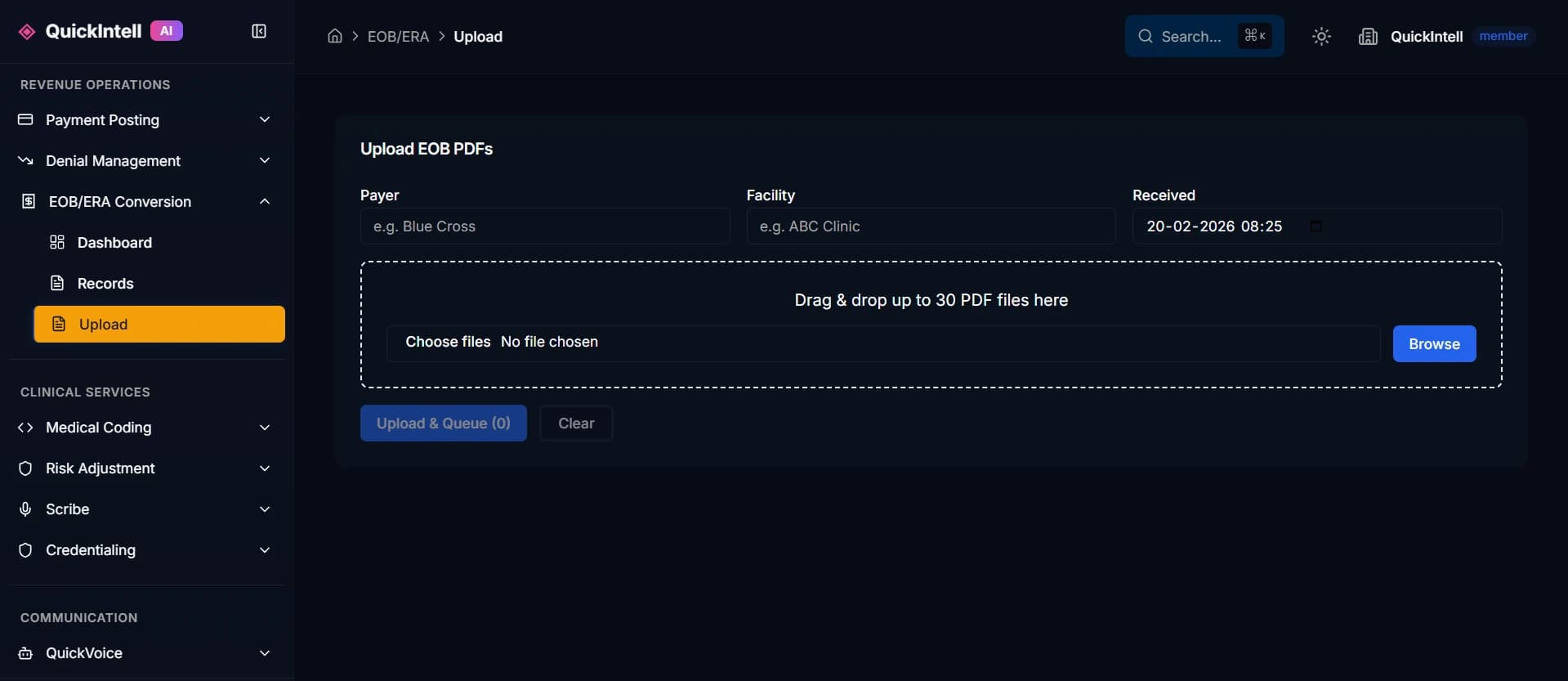
Open the EOB-to-ERA workspace from Payment Posting → New Manual Payment. Upload an authorized source PDF in the application, not through a public website form.
Extract and review the detail
Compare extracted claim lines with the original PDF. Review payment amounts, adjustment codes, claim references and check numbers before approving the record.
Validate and send to the inbox
Run validation, resolve its findings and send the reviewed record to the ERA Inbox. The converted remittance is derived from the EOB; it is not a new payer-issued file.
Review matches and posting
Confirm claim matches and totals before authorized posting. Route unmatched or held items for review, then reconcile the bank deposit, remittance and posted payment.
See the conversion and exception-review workflow
Read the documented payment-posting stepsExplore the PDF-to-835 workflow or compare EOB OCR and ERA conversion.
From file validation to financial close
Triangle of Truth — daily reconciliation
Compare the bank deposit, net remittance payment and posted payment for the same billing entity, payment reference and settlement scope. QuickRCM's daily reconciliation workflow keeps these three views together so the team can investigate a difference instead of treating a generated 835 as a completed financial close.
- 01
Bank deposit total
The payment actually received for the selected billing entity and settlement period. Keep the EFT or check reference with the deposit record.
- 02
Net ERA payment total
The remittance payment after applicable adjustments, including provider-level adjustments (PLB). This is not the sum of charges or an unadjusted claim-line total.
- 03
Posted payment total
The corresponding payment recorded in the receiving ledger, with reversals and adjustments accounted for. Import acceptance alone does not prove that posting is complete.
For ACH payments, use the matching trace information (TRN) to help associate the EFT with its ERA. Investigate missing references, multiple remittances and timing differences before comparing totals.
A variance target is not a close approval
The QuickRCM payment-posting manual describes a variance target below 0.5%. This is an operating target, not a measured customer result or permission to ignore unexplained differences. Agree on the comparison scope, calculation and escalation policy with finance. Track each unresolved amount to an owner and resolution before signing off.
Four exception buckets to work through
The manual describes automatic grouping into the buckets below. Grouping supports triage; it does not authorize a write-off, resolve an exception or confirm a bank settlement. Test the routing and reviewer handoff with your own receiving system during the assessment.
Unposted lines
Find remittance items that are missing from the receiving ledger or waiting for review. Verify their final disposition before retrying a posting operation.
Voided payments
Check reversals, voids and replacement payments together. Preserve the relationship to the original transaction so a replacement is not counted twice.
Manual adjustments
Explain authorized ledger changes and provider-level adjustments. Keep the reason, source reference and responsible reviewer with the reconciliation record.
EFT timing
Track a remittance and its payment when they arrive at different times. An ERA arriving today is not evidence that the bank has received the corresponding deposit today.
Map who receives each exception in the orchestration workflow and confirm bank, remittance and ledger ownership with the integration map.
Standards context: CMS explains EFT/ERA trace matching and claim and provider-level remittance adjustments. These sources explain transaction handling, not QuickIntell performance.
Fit the way your team works
One conversion workflow. Different operating requirements.
Provider groups and practices
Start with the payers still sending paper or PDFs and the tasks consuming posting time. Identify who reviews incomplete records, how claims are matched and which import steps your PMS supports.
- Payer and document-format mix
- Review effort and unresolved items
- PMS import and posting confirmation
Hospitals and health systems
Map each document and payment to the correct facility and billing entity. Bring posting operations, interface teams and finance together to agree on routing, exception ownership and reconciliation.
- Facility and billing-entity identification
- Approved interfaces and workqueue ownership
- Deposit-to-remittance-to-ledger reconciliation
Define acceptance before a pilot
Check the source, the output and the destination
Choose representative payer documents and include incomplete pages, uncertain identifiers, adjustments and duplicate inputs. Record expected results before evaluating the conversion.
- Compare extracted claim and service-line detail with the source EOB.
- Check payment, adjustment and patient-responsibility amounts, including unresolved differences.
- Verify identifiers and mapping against the receiving system's requirements.
- Test duplicate handling, import rejection and the reviewer handoff.

Scope the handoff and pricing together
Monthly EOB counts tell only part of the story. Pages per document, service-line density, image quality, payer variety and review effort all affect the work. Include onboarding, validation, exception handling and support when comparing proposals.
Working with Epic or a lockbox?
Confirm the receiving interface and the teams responsible for payment references and import acceptance. A general EHR connection does not establish a working financial-posting interface.
Security and procurement
Review the evidence before sharing EOBs
Bring your security team into the evaluation. Review the applicable data-handling requirements, access controls and agreements before transferring documents. Restricted security materials may require company details and an NDA.
Do not submit patient information or sample EOBs through the public assessment form. Our team will coordinate an approved transfer process if needed.

Your next step
Request an EOB workflow assessment
Tell us where paper and PDF remittances slow your team down. We can help define the conversion scope, review points and posting handoff to evaluate.
- Your payer and document mix
- Extraction and exception-review needs
- Destination requirements and pilot checks
Share operational context here. If the assessment later needs sample EOBs, our team will coordinate an approved transfer process and the applicable agreements.
Book a demoYou can also contact our team or email info@quickintell.com.
Explore the details
EOB-to-ERA guides for your evaluation
PDF EOB to 835
Follow the document-to-file process and the checks that matter before import.
EOB OCR vs. ERA conversion
Compare text extraction with a complete remittance conversion workflow.
Hospital remittance workflows
Plan facility ownership, workqueues and financial reconciliation.
Planning the Epic handoff
Define the receiving interface and validate the local posting workflow.
Healthcare lockbox conversion
Connect EOB images, payment references and deposit reconciliation.
EOB-to-ERA evaluation checklist
Bring a practical requirements and acceptance checklist to vendor review.
EOB to ERA conversion questions
What is EOB to ERA conversion?
EOB to ERA conversion turns information in a paper or PDF Explanation of Benefits into an electronic remittance file, commonly in X12 835 format. The workflow includes extracting remittance detail, reviewing uncertain information, validating output and confirming the receiving billing system can use it.
Can a PDF EOB be converted to an 835 file?
A readable PDF can provide the source information for conversion. Whether the resulting file is ready for import depends on the document's completeness, the extraction review, validation and the destination system's requirements. Missing source information needs resolution rather than a guessed value.
Is EOB OCR the same as ERA conversion?
OCR extracts text from a document. ERA conversion also needs the relationships between claims, service lines, payments and adjustments to be represented in the required remittance structure. Review, balancing and a tested import path determine whether the output is useful for posting.
Can we use the output with Epic or another EHR?
The receiving organization must confirm its supported remittance import route, identifiers, mapping and acceptance checks. A FHIR connection alone does not establish that financial posting is supported. The assessment scopes these requirements with your billing and interface teams before any posting commitment.
How much does EOB to ERA conversion cost?
Scope pricing around monthly document volume, pages and service lines, payer-format variety, document quality, review effort and the destination workflow. Confirm whether onboarding, validation, exception handling and support are included. Request an assessment to define a comparable workload before seeking a quote.
What should we provide for a workflow assessment?
Start with your organization, the workflow problem and, if available, your EHR or practice management system and approximate monthly paper or PDF EOB volume. The public form is for operational context. Our team will coordinate an approved transfer process if a later review needs sample documents.
Explore the platform behind the workflow
See QuickERA product details and the broader payment-posting workflow.